
How to Create an E-mail Blacklist (Block Senders)
@example.com) and manage your blacklist from the web.aso.com.tr e-mail panel. Gmail, Outlook and iPhone Mail also have a “Block sender” option.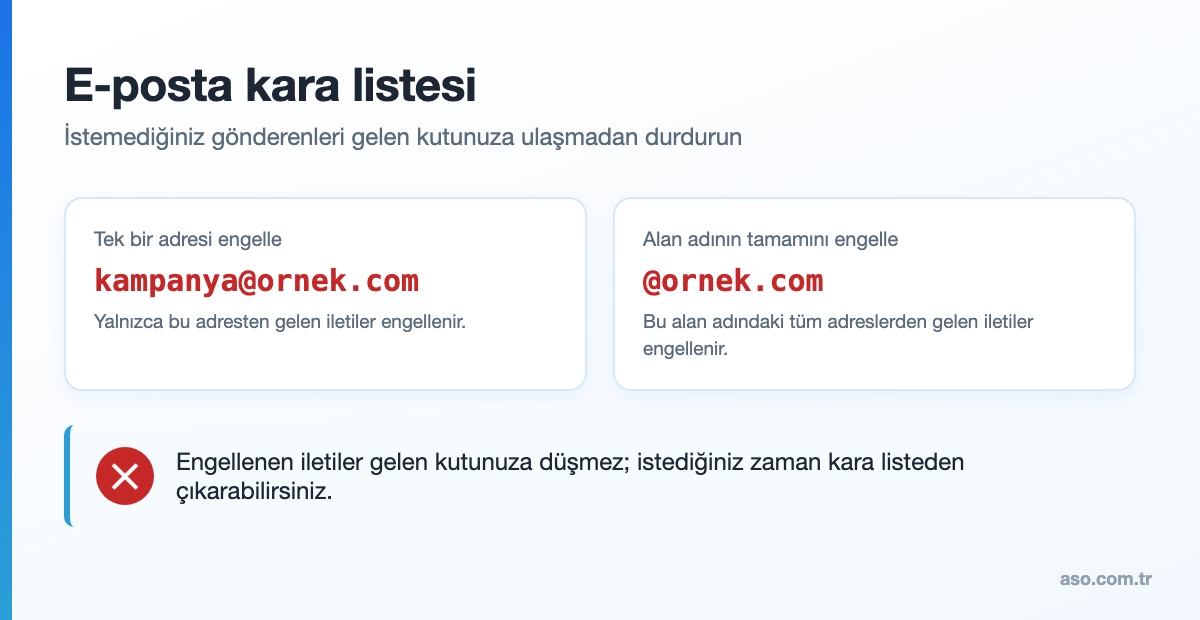
What is an e-mail blacklist?
A blacklist is a list of sender addresses or domains you do not want to receive e-mail from. Messages from senders on this list do not reach your inbox; the server rejects them, deletes them or moves them to a separate folder. This rids you of advertising, spam and annoying e-mails.
Creating a blacklist in the ASO Web e-mail panel
With ASO Web company e-mail, blocking happens at server level, so blocked messages do not arrive whichever computer or phone you read your e-mail on.
- Log in to the web.aso.com.tr customer panel.
- Open the blocking / blacklist settings on your e-mail account management screen.
- To block a single address, enter the full address:
[email protected] - To block an entire domain, enter the domain:
@example.com– e-mails from all addresses on that domain are blocked. - Save. E-mails from blocked senders no longer reach your inbox.
To remove someone from the blacklist, delete the address or domain on the same screen. If you need help with the panel, contact us on +90 212 222 38 01 or via WhatsApp.
Blocking a sender in e-mail programs
- Gmail: open the message and choose “Block …” from the More (three dots) menu.
- Classic Outlook (Windows): select the message, then Home > Junk > Block Sender.
- New Outlook and Outlook.com: under Settings > Mail > Junk email, add the address or domain to “Blocked senders and domains”.
- iPhone Mail: open the e-mail, tap the sender’s name and choose “Block this Contact”.
Blocking in a program may only apply to that program or device. To apply it on all devices, we recommend blocking in the e-mail panel.
Blacklisting vs reporting as spam
“Report spam” helps the e-mail filter learn to recognise similar messages; a “blacklist” definitively blocks all messages from a specific sender. Reporting spam works better for bulk advertising and phishing e-mails, while a blacklist is more effective for one sender who keeps bothering you.
Note: the blacklist on this page is the sender block list you create. A mail server’s IP address being listed by organisations such as Spamhaus (IP blacklist) is a different matter: why do e-mails go to spam? (Turkish)
Related guides: what is spam e-mail?
Company E-mail PricesDomain Search
Frequently asked questions
What is an e-mail blacklist?
A list of sender addresses or domains you do not want to receive e-mail from; messages from these senders do not reach your inbox.
Can I block an entire domain?
Yes. Adding a domain as @example.com to the blacklist in the ASO Web e-mail panel blocks e-mails from all addresses on that domain.
Will the blocked person notice?
The blocked sender is usually not notified; their e-mail simply does not reach you.
How do I remove someone from the blacklist?
Delete the address or domain from the list where you blocked it (e-mail panel or e-mail program).
Is reporting spam the same as blacklisting?
No. Reporting spam teaches the filter to recognise similar messages; a blacklist definitively blocks all messages from a specific sender.


Comments (0)