
Sony Xperia Z (Android) E-mail Settings
Current Android E-mail SetupE-mail Setup Wizard (TR)
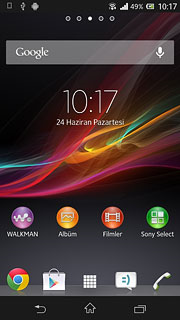
The Sony Xperia Z smartphone runs Android, so its e-mail settings are the same as on any Android phone. See our illustrated guide: E-mail settings for Android phones.
You can set up your e-mail address as POP or IMAP. POP downloads messages to the phone; IMAP keeps them on the server and downloads only headers until you open a message, so it uses less storage on your phone. Every e-mail address also has a web interface: if you have trouble setting up mail, open your webmail address in Chrome on your phone and sign in with your e-mail address and password.
If your company e-mail is on our servers, use the webmail login.
SSL/TLS settings for ASO Web mail servers
If your e-mail is hosted on ASO Web servers, the settings shown in the steps above (mail.yourdomain.com, ports 110/587 without encryption) still work. To set up your e-mail with an encrypted SSL/TLS connection, use:
| Incoming / outgoing server | smaug.aso.com.tr |
| IMAP | port 993, SSL/TLS |
| POP3 | port 995, SSL/TLS |
| SMTP (outgoing) | port 465, SSL/TLS, authentication required |
| User name | your full e-mail address |
Company E-mail Prices


Comments (0)