
How to Set Up an E-mail Automatic Reply (Out of Office)
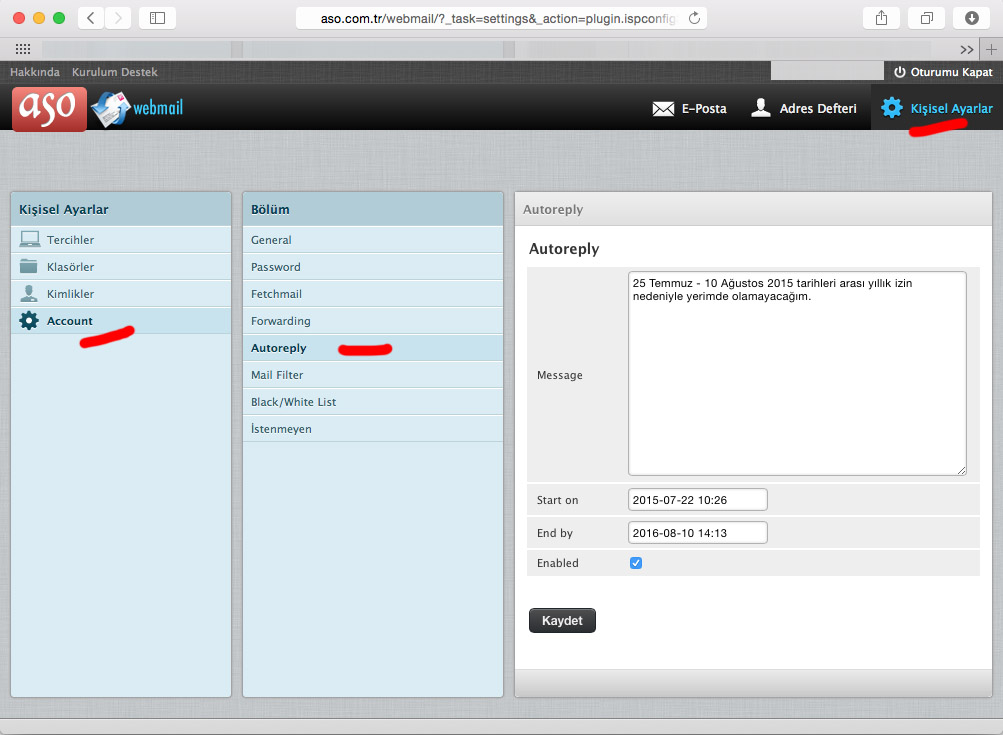
In short: An automatic reply (vacation / out-of-office reply) sends a ready message to incoming e-mails between dates you choose. In Gmail: Settings → See all settings → General → Vacation responder. In Outlook.com and new Outlook: Settings → Accounts → Automatic replies. For ASO company e-mail, set it up in webmail.
Classic Outlook
The “Automatic Replies” button only exists for Microsoft 365/Exchange accounts; for POP/IMAP accounts set the auto-reply on the server via webmail.
Example messages
“Hello, I am on leave from 1 to 15 August with limited access to e-mail. I will reply when I return. For urgent matters please contact [email protected].”
Need reliable company e-mail?
Company E-mail Prices
Company E-mail Prices
Frequently asked questions
How do I set up an automatic reply in Gmail?
Settings > See all settings > General > Vacation responder, set dates and message, save.
Why can’t I find Automatic Replies in Outlook?
It only exists for Microsoft 365/Exchange accounts; for POP/IMAP use webmail.


Comments (0)