
Auto-Numbered Code 128 Barcodes (Counter Formula)
COUNTER(start,step) in the Script section. For example COUNTER(1000,1) prints 1000 on the first label and 1001 on the next. To combine letters and numbers, use a formula such as "W1000ZT"&COUNTER(5000,1).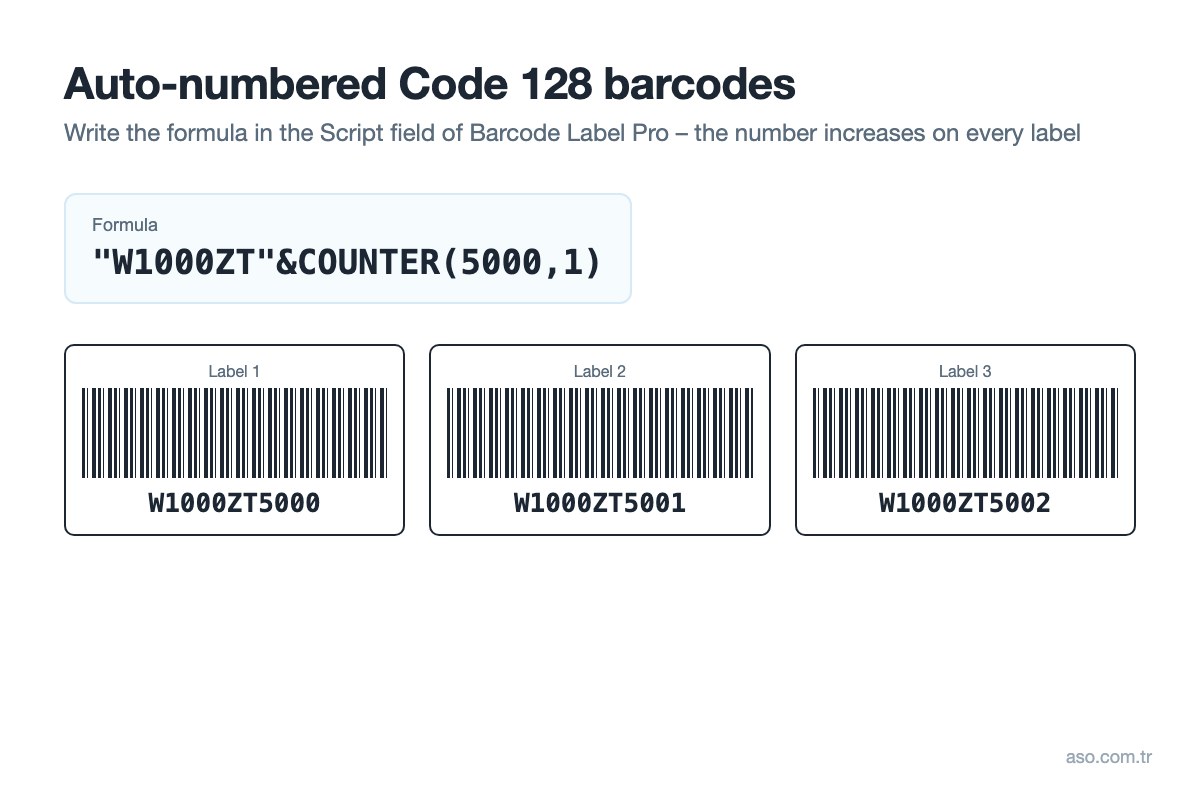
What is Code 128?
Code 128 is a variable-length barcode symbology that can encode all 128 ASCII characters (upper and lower case letters, digits and symbols). It has three subsets: Code 128 A (upper case, digits, control characters), Code 128 B (upper and lower case, digits, symbols) and Code 128 C (encodes digits in pairs for very short barcodes). Because it is compact, it is widely used for serial numbers, cartons, logistics and production tracking; GS1-128 is also based on it.
Creating auto-numbered barcodes in Barcode Label Pro
- Take the barcode tool from the toolbar and draw an area on the label.
- Double-click the barcode and choose Code 128 as the Barcode Type.
- In the Source section switch to Script and enter
COUNTER(start,step)in the formula builder, e.g.COUNTER(1000,1). - Click OK. The preview shows a different number on each label: 1000, 1001, 1002…
- Set the number of labels and print. To continue from where you stopped next time, update the start value.
| Formula | Result |
|---|---|
COUNTER(1,1) |
1, 2, 3, 4… |
COUNTER(1000,10) |
1000, 1010, 1020… |
"W1000ZT"&COUNTER(5000,1) |
W1000ZT5000, W1000ZT5001… |
Use Code 128 (or Code 39) for numbers that contain letters; EAN-13 accepts digits only. Keep “Show numbers” enabled to print the number as text under the barcode.
Video: automatic numbering
Typical uses
- Serial number and asset labels
- Carton and pallet numbering
- Ticket, coupon and invitation numbers
- Production and lot tracking
Related: Creating a numerator with the counter tool · Barcode standards · Sample labels (incl. a numbered sample)
Download the Barcode Label Pro trial · Pricing (in Turkish)
Frequently asked questions
How do I create a Code 128 barcode?
In Barcode Label Pro add a barcode with the barcode tool, double-click it, choose Code 128 as the barcode type and type your number or text in the Source section. The program generates the bars and check character automatically.
How do I print barcodes with automatically increasing numbers?
Enter COUNTER(start,step) in the barcode’s Script section. COUNTER(1000,1) prints 1000 on the first label and 1001, 1002 on the following labels.
Can Code 128 contain letters and digits?
Yes. Code 128 encodes all 128 ASCII characters, including upper and lower case letters, digits and symbols. For long numeric data the Code 128 C subset produces a shorter barcode.
Is Code 128 the same as EAN-128?
EAN-128 is now called GS1-128 and uses the Code 128 symbology, but its content follows a defined structure with GS1 Application Identifiers (e.g. batch, expiry date).

