
How to Add Hotmail / Outlook.com to iPhone (with Screenshots)
You can easily add Hotmail, Outlook.com and Live accounts to the iPhone Mail app.
Quick version: Settings > Passwords & Accounts > Add Account > Outlook.com > enter your e-mail address and tap Next > enter your password and sign in > tap Yes on the permission screen > Save (menu paths for newer iOS versions are at the end of this article). If two-step verification is on for your Microsoft account, enter the code you receive or approve the Microsoft Authenticator prompt.
No account yet? You can create a free Outlook.com address at outlook.live.com.
Setup with screenshots
The screenshots are from an iPhone with a Turkish interface (iOS 12); English menu names are given in each step.
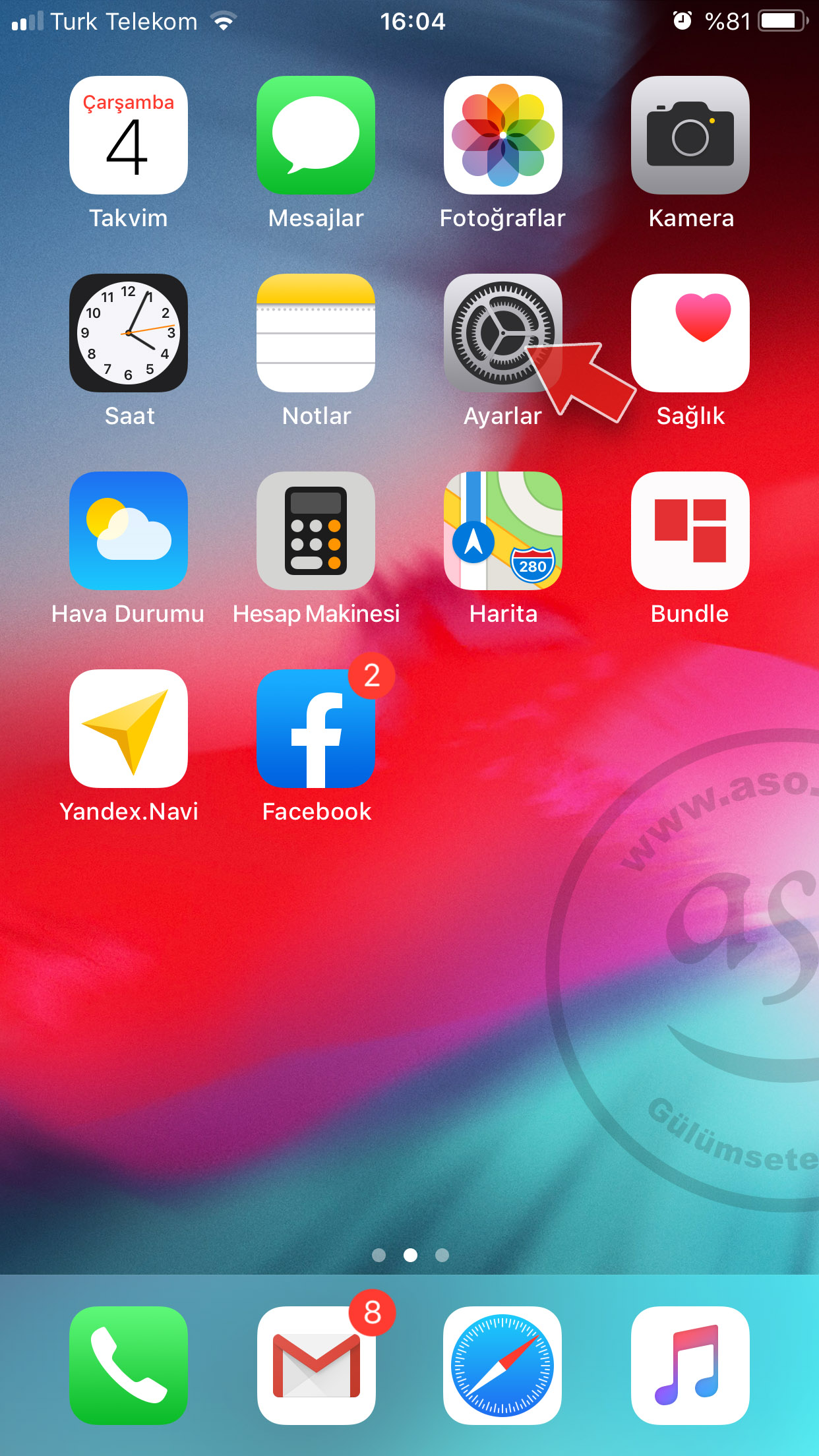
1- Tap Settings on the iPhone Home Screen.
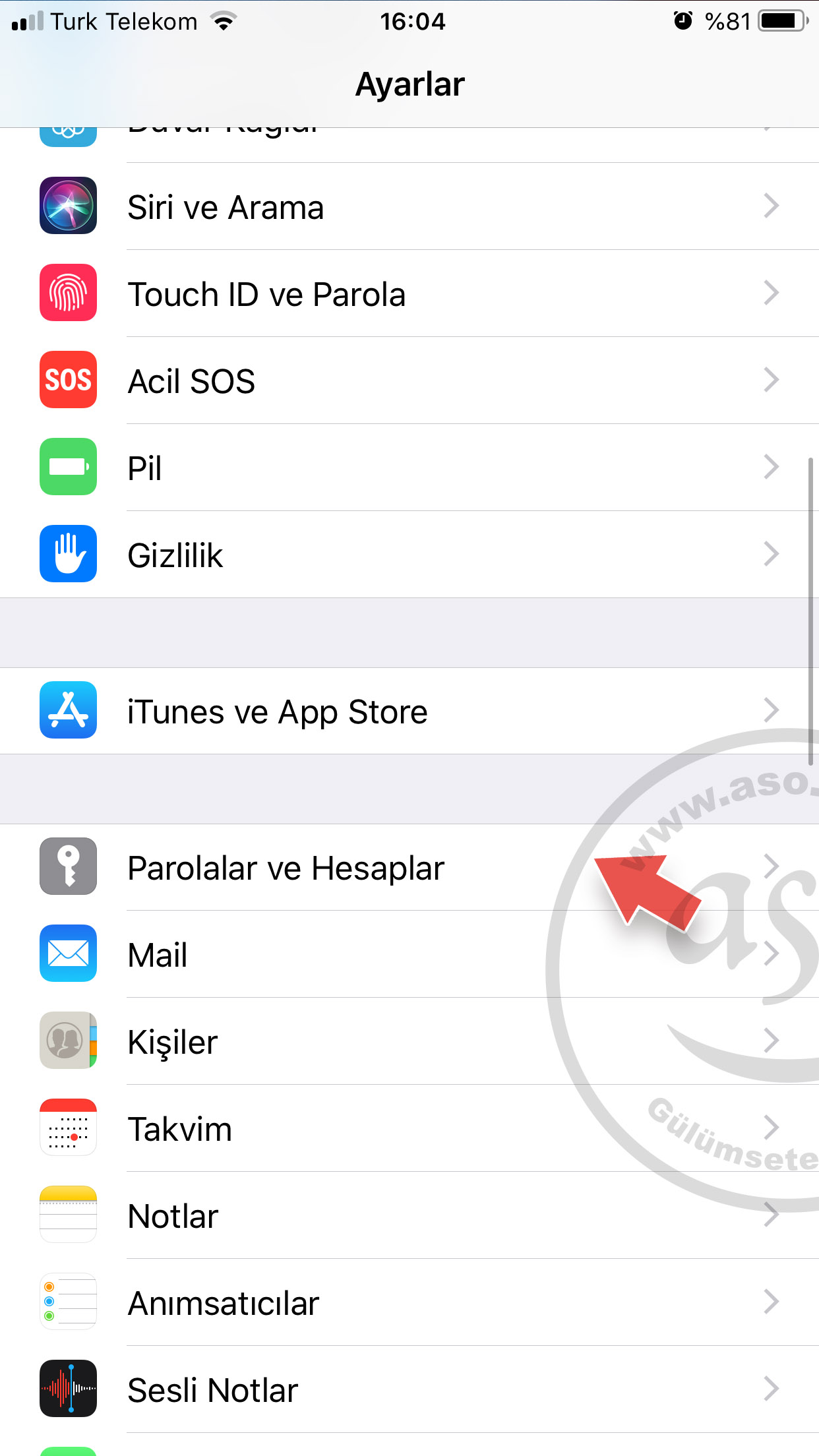
2- Tap Passwords & Accounts.
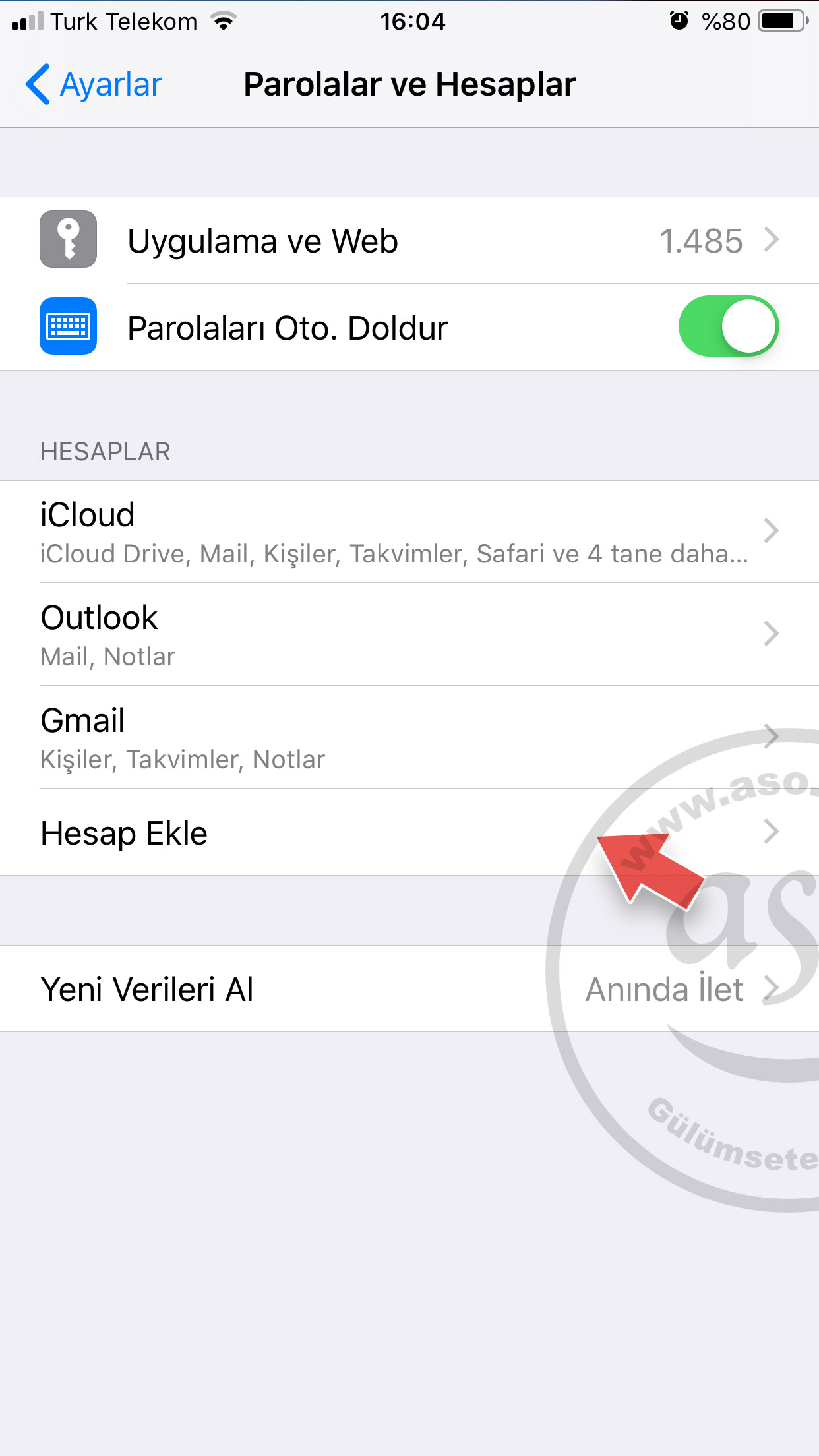
3- Tap Add Account.
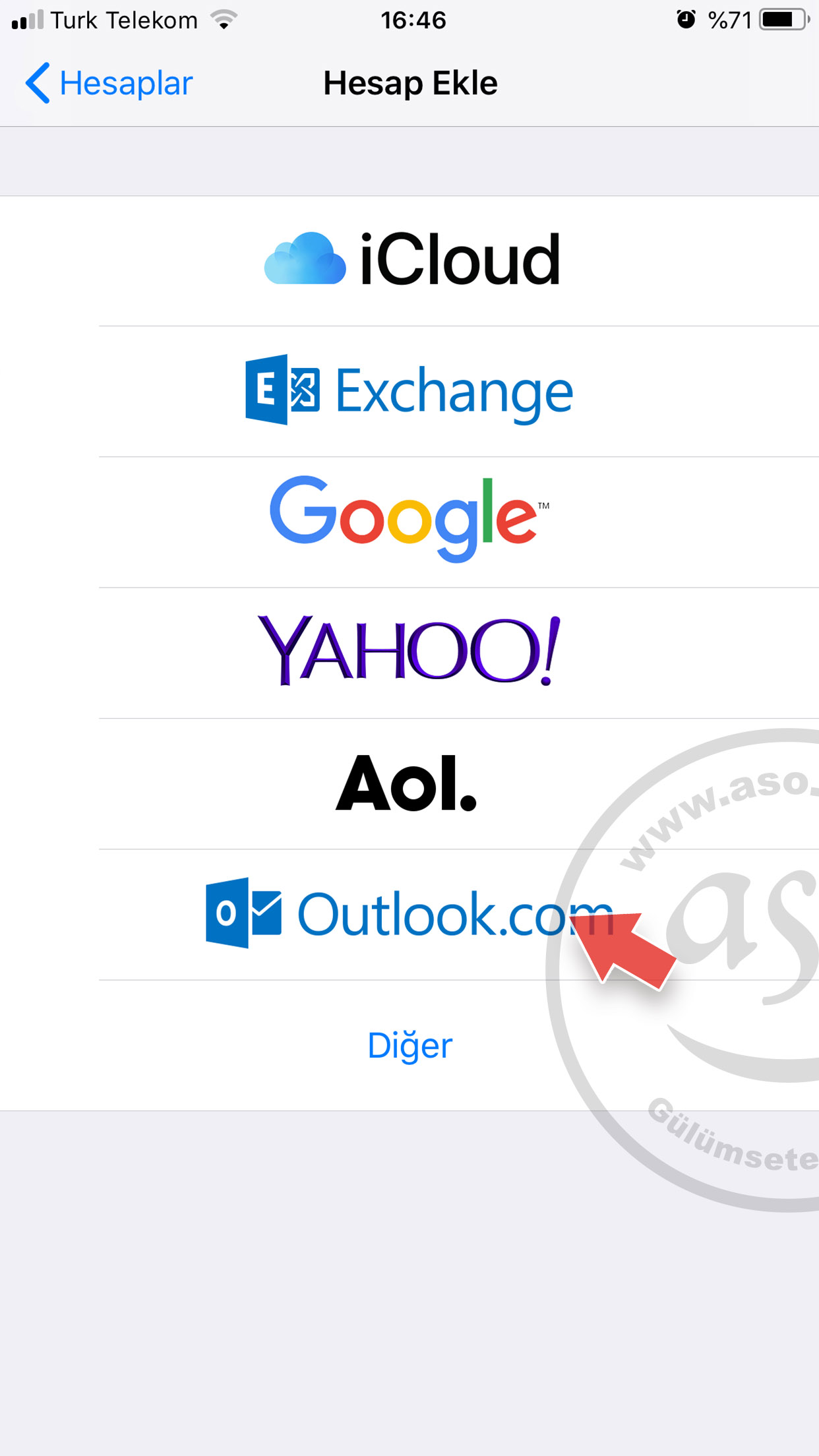
4- Tap Outlook.com. (All @hotmail.com, @hotmail.com.tr, @outlook.com, @outlook.com.tr and @live.com addresses are added here.)
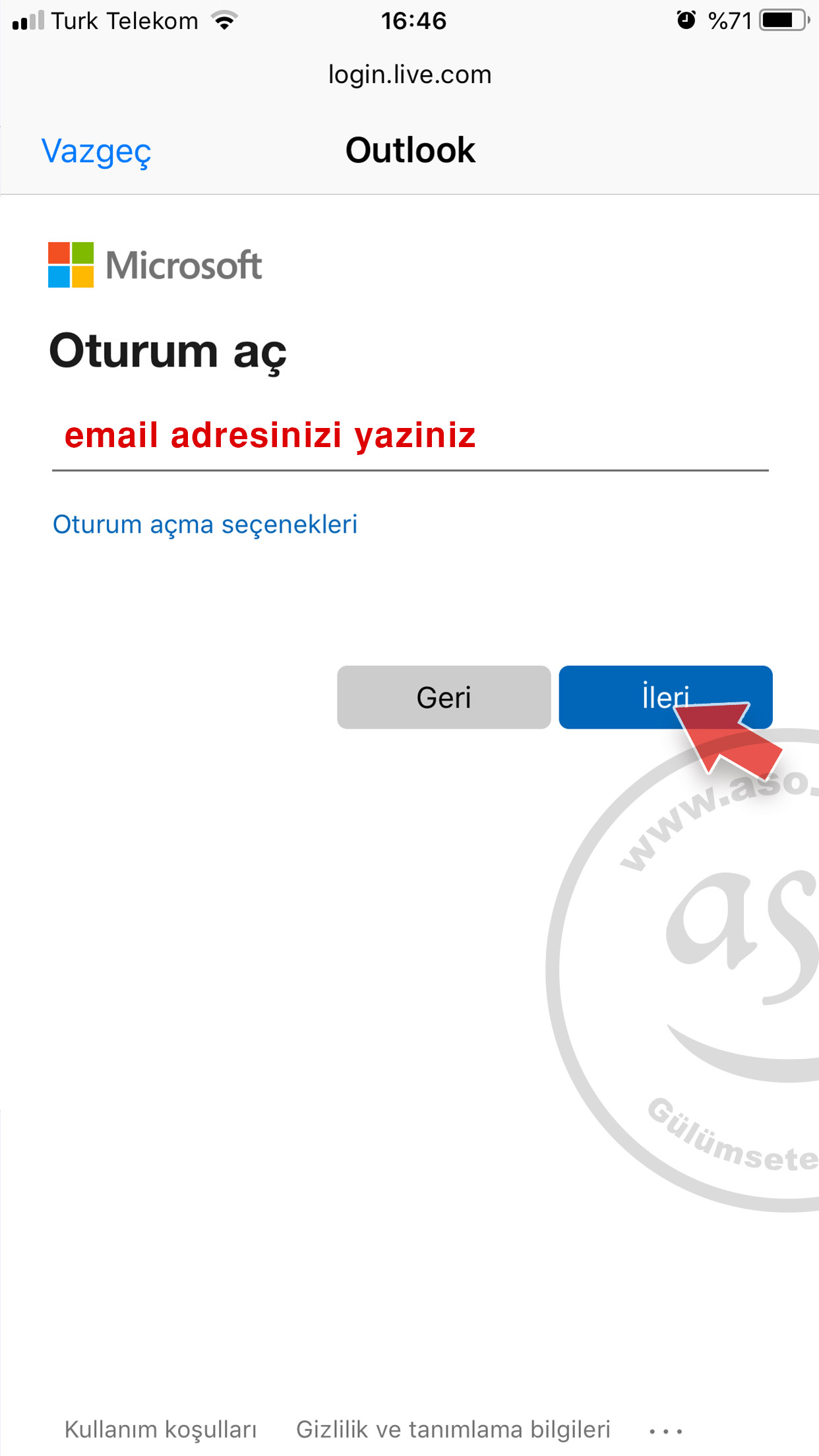
5- Enter your e-mail address (e.g. [email protected] or [email protected]).
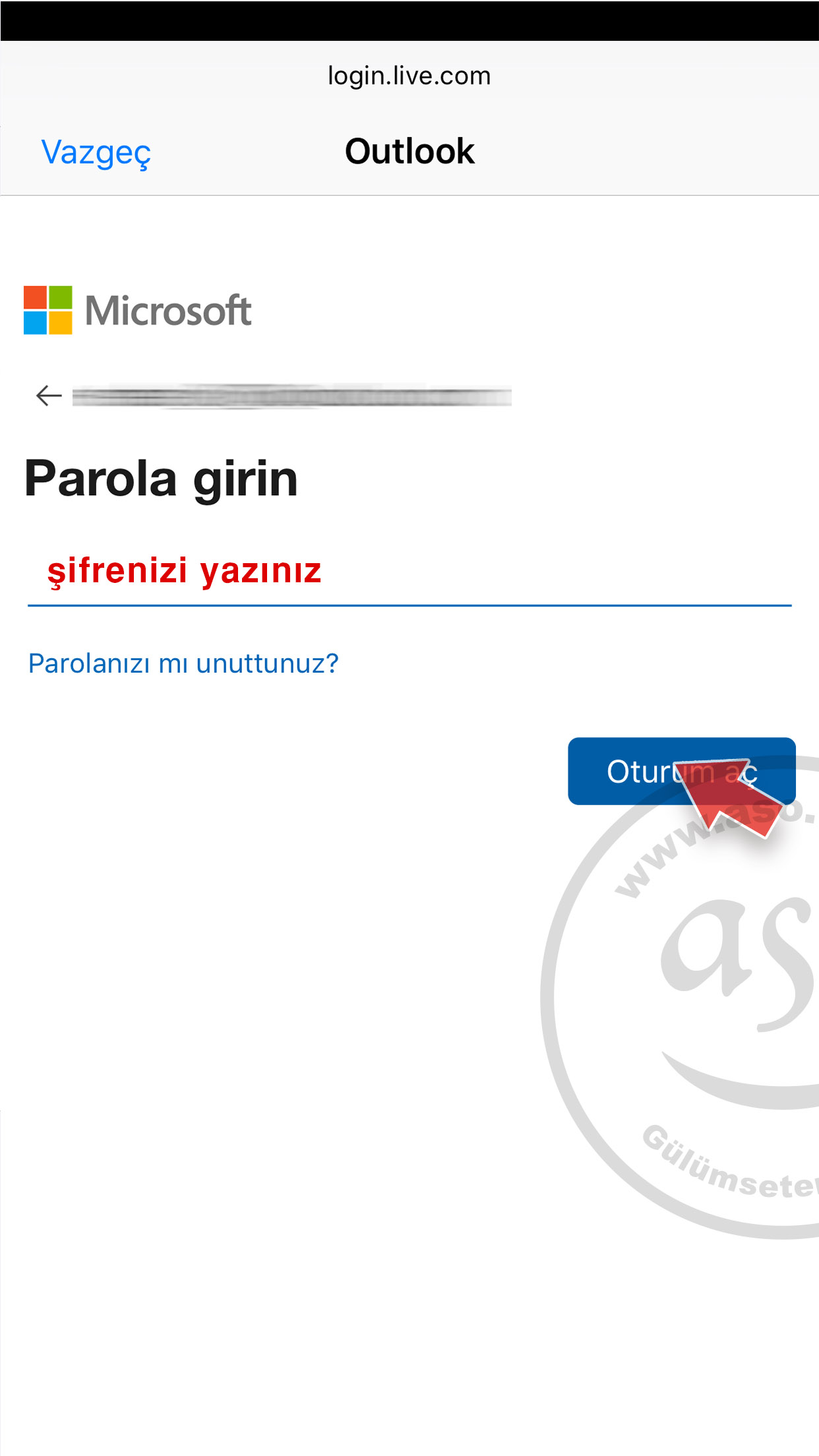
6- Enter your password and tap Sign in.
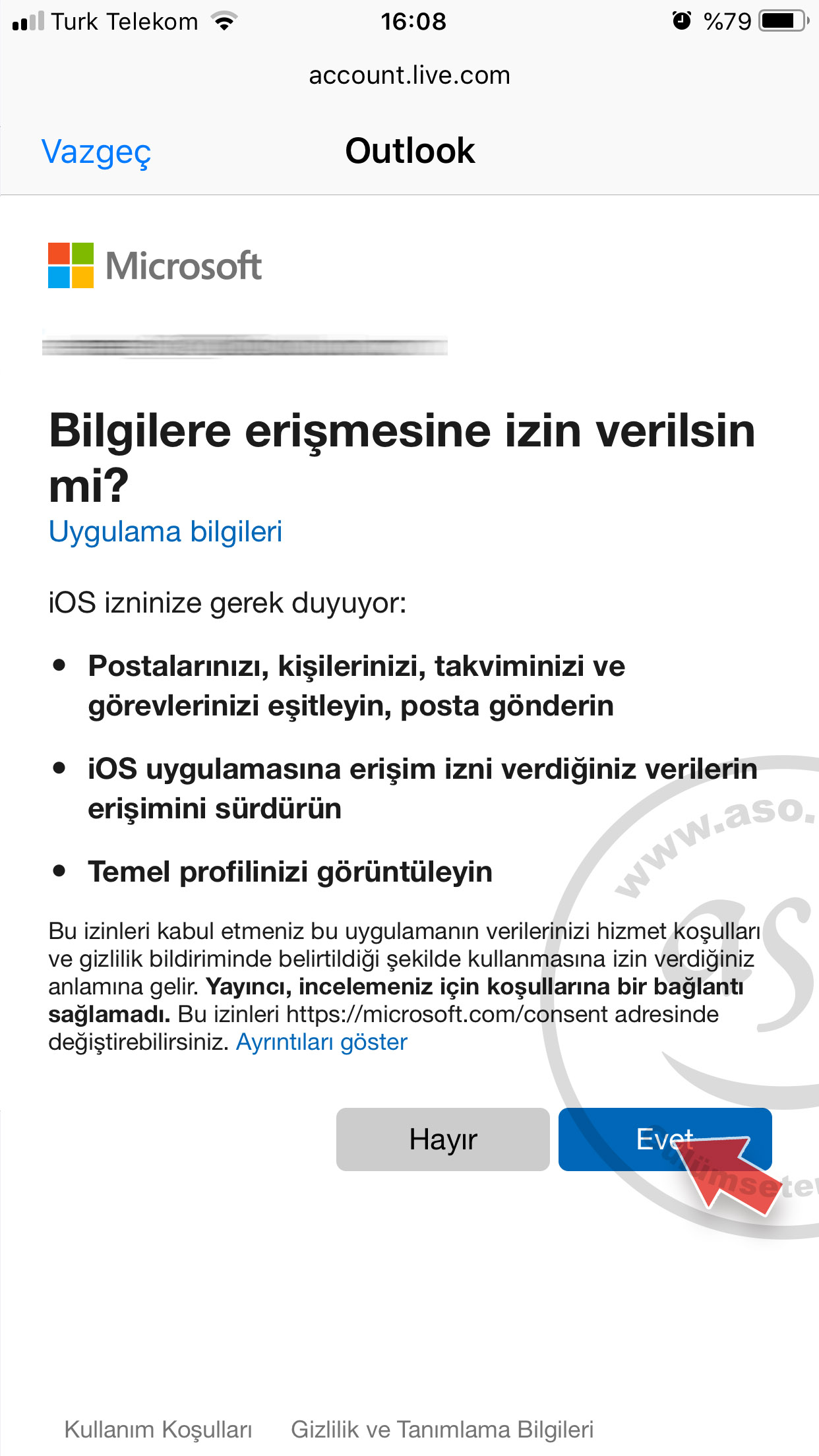
7- A permission screen explains that iPhone Mail will access your account information. Read it and tap Yes.
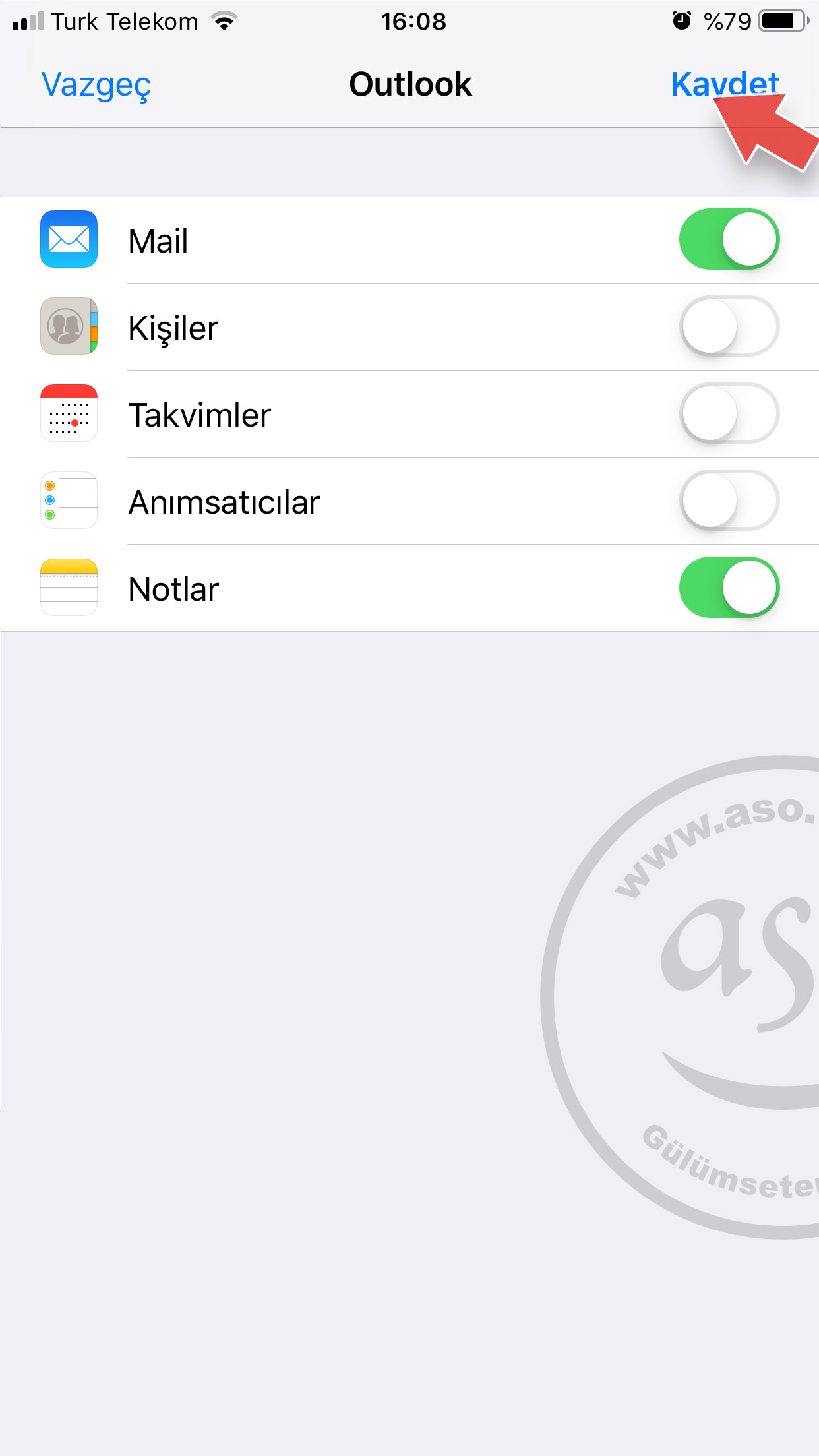
8- Turn on Mail, Contacts, Calendars and Notes as you like and tap Save. If two-step verification is on, a verification screen like the one below may appear; enter the code sent to your phone.
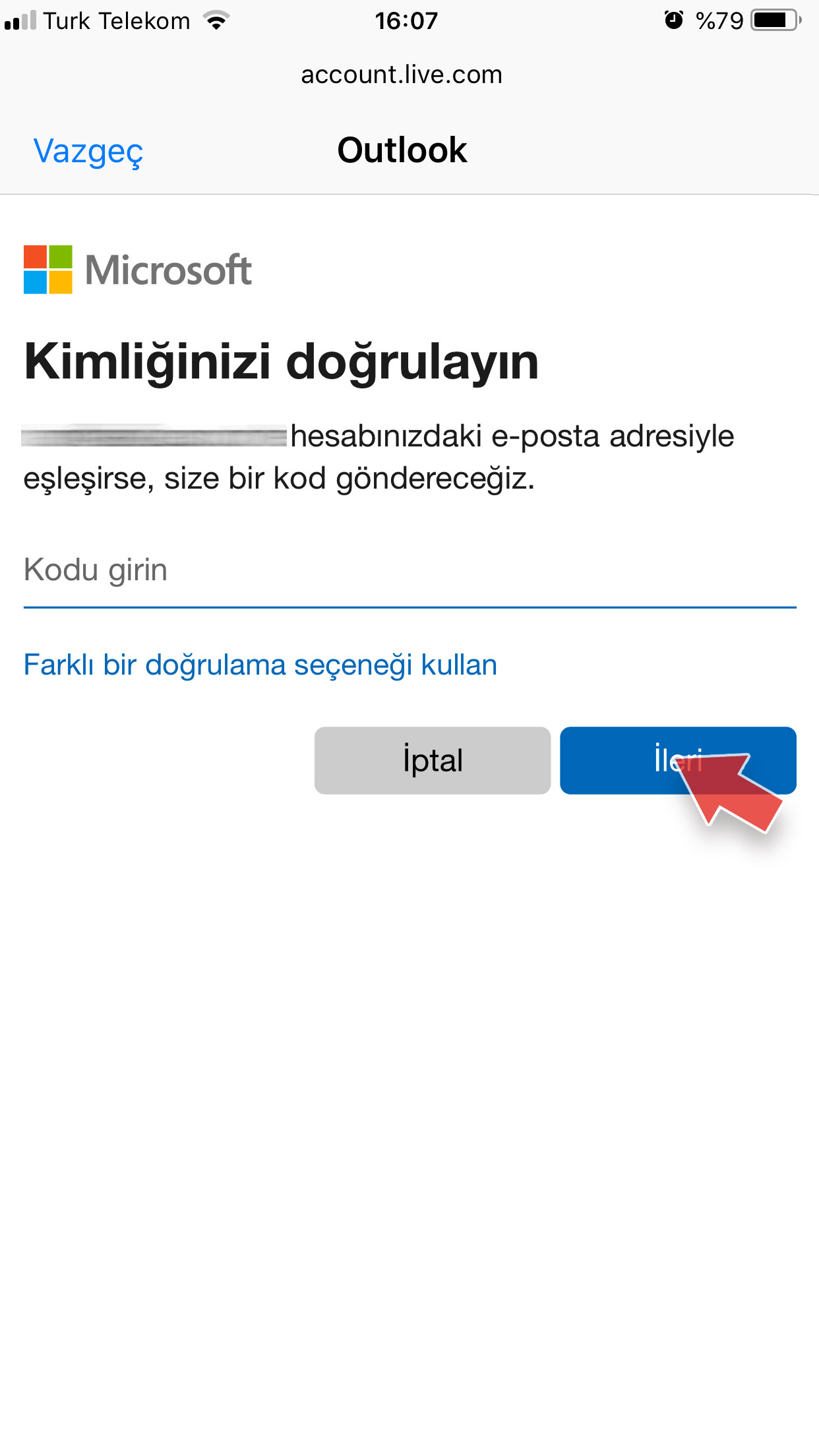
Your account is set up. Open the Mail app on the Home Screen to send and receive e-mail.
Need a professional address with your own domain ([email protected])? Get a company e-mail here.
Menu path in newer iOS versions
| iOS version | Menu path |
|---|---|
| iOS 18 and later | Settings > Apps > Mail > Mail Accounts > Add Account > Outlook.com |
| iOS 14 – iOS 17 | Settings > Mail > Accounts > Add Account > Outlook.com |
| iOS 12 – iOS 13 | Settings > Passwords & Accounts > Add Account > Outlook.com |
Hotmail / Outlook.com server settings
When you add the account with the Outlook.com option, no server settings are needed. For manual setup in other apps, Microsoft’s official settings are:
| Server | Address | Port | Encryption |
|---|---|---|---|
| Incoming (IMAP) | outlook.office365.com | 993 | SSL/TLS |
| Incoming (POP) | outlook.office365.com | 995 | SSL/TLS |
| Outgoing (SMTP) | smtp-mail.outlook.com | 587 | STARTTLS |
Outlook.com requires modern authentication (OAuth2); if your password is rejected in a manual setup, you may need an app password. Source: Microsoft – POP, IMAP and SMTP settings for Outlook.com.
History of Hotmail
Hotmail was not founded by Microsoft. It was launched in 1996 by Sabeer Bhatia and Jack Smith as one of the first free web-based e-mail services and quickly reached millions of users. Microsoft acquired Hotmail at the end of 1997; it later continued as MSN Hotmail and Windows Live Hotmail and moved to Outlook.com in 2012–2013. Today @hotmail.com, @live.com, @msn.com and @outlook.com addresses all run on Outlook.com, while business accounts are offered under Microsoft 365.
Our Company E-mail Prices
Frequently asked questions
How do I add Hotmail to iPhone?
On iOS 18 go to Settings > Apps > Mail > Mail Accounts > Add Account > Outlook.com, enter your e-mail address and password, tap Yes on the permission screen and save. On iOS 14–17 the menu is under Settings > Mail > Accounts.
What are the Hotmail outgoing server settings on iPhone?
No server settings are needed with the Outlook.com option. For manual setup Microsoft uses IMAP outlook.office365.com, port 993, SSL/TLS and SMTP smtp-mail.outlook.com, port 587, STARTTLS.
iPhone says my Hotmail password is wrong – what should I do?
Check your password at outlook.com. Always add the account with the Outlook.com option rather than “Other”; Outlook.com requires modern sign-in (OAuth), so a manual setup may reject the password. Remove and re-add the account if needed.
Outlook app or iPhone Mail?
Both work with Hotmail. iPhone Mail keeps all your accounts in one place; the free Microsoft Outlook app offers Microsoft features such as the Focused Inbox and calendar.
What is the difference between Hotmail and a company e-mail?
Hotmail/Outlook.com is a free personal service with addresses ending in @hotmail.com or @outlook.com. A company e-mail uses your own domain ([email protected]) and is recommended for business credibility.
More guides: Add Gmail to iPhone · iPhone company e-mail setup · Android e-mail settings


Comments (0)